.png)
How to check a build against a mockup
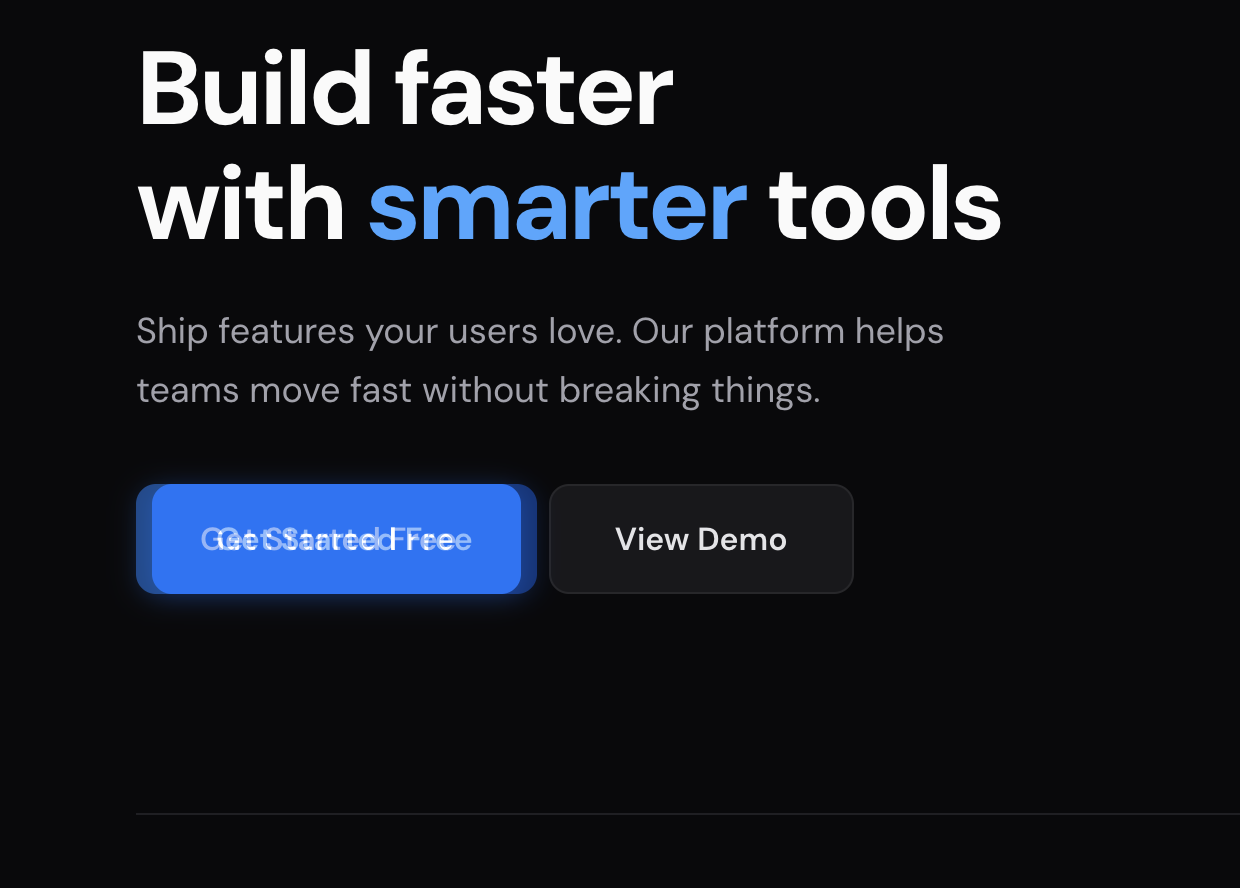
Load the approved mockup as an overlay on the built page and align it. Lower the opacity to see both at once, or switch the blend mode to “Difference”: matching pixels go black and everything that differs stays visible.
It works on what the browser rendered: localhost, staging, or production.
The pass
- Open the page on the branch or environment under review.
- Load the approved design: drop the file on the panel, click “Paste”, or enter an image URL.
- Align to a fixed landmark: a logo corner, the first heading, the top of the content column. Arrow keys move 1px, Shift+arrows 10px.
- Compare, then press “Lock”, click through to the element in DevTools, and fix the CSS with the design still on screen.
Reading the comparison
- Opacity around 50% shows design and page at once. A doubled edge is an offset; blurred text is the wrong size or line height.
- “Difference” at 100% opacity turns identical pixels black. A bright edge is an offset, a dim flat area is a color mismatch, a thin outline is a border radius or stroke width.
- “Invert” at 50% opacity turns matching areas flat gray: use it on dark pages. “Multiply” and “Overlay” are for color checks.
Mobile and responsive
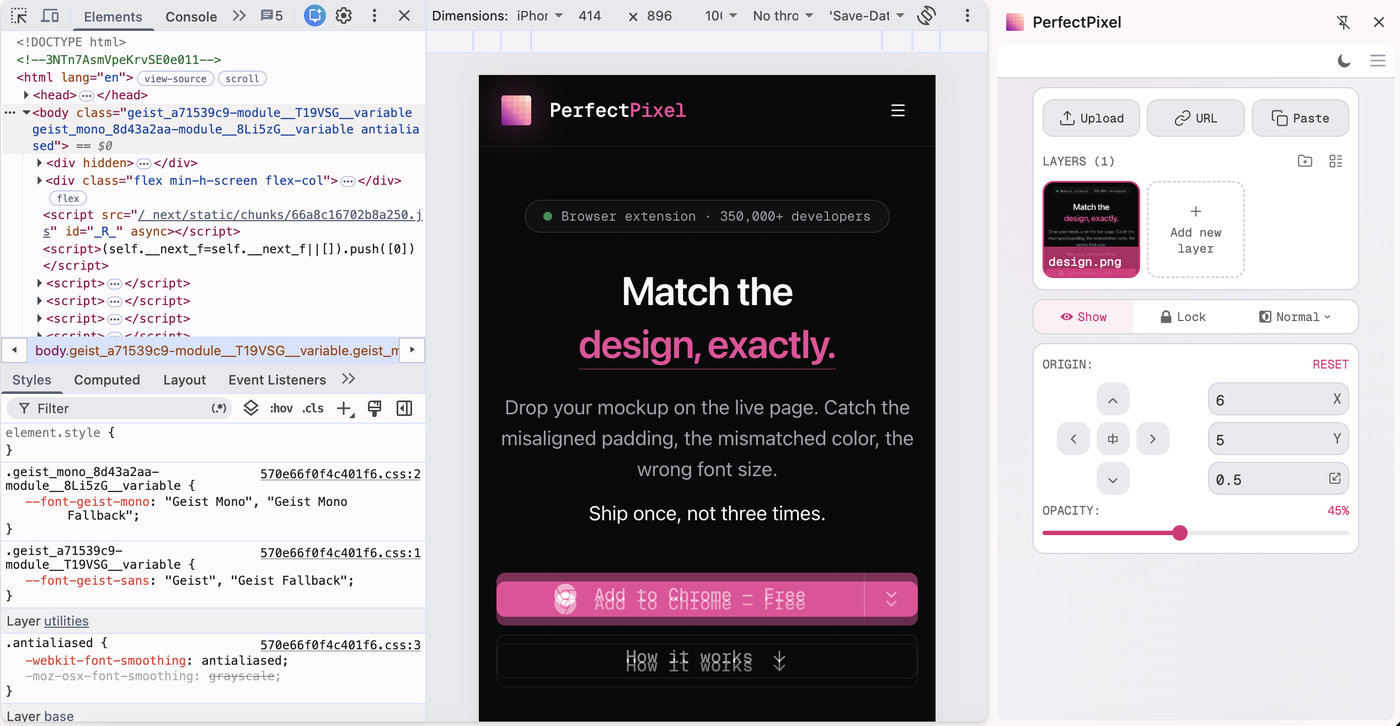
Open DevTools device mode and set the viewport, then open the panel menu (☰) and pick “Open in side panel”; in device mode the panel also offers it in a banner. The panel moves beside the page and takes no width from the emulated viewport.
More than one screen
Overlays are saved per domain, across reloads and tabs. The free plan keeps 2 layers at a time per domain; Pro removes the limit and adds folders.
Where this fits
A human review step, not a gate: it doesn’t run in CI and won’t fail a build. See what PerfectPixel does and doesn’t do and how to overlay a Figma design.
Q&A
How do I check whether a build matches the design?
Load the approved mockup over the built page, align it, then lower the opacity or switch to the “Difference” blend mode: identical pixels render black and only the mismatches stay visible.
Is this the same as automated visual regression testing?
No. It is a manual check a person runs in the browser. It doesn’t run in CI, capture screenshots on a schedule, or fail a build.
Can I check a responsive layout against a mobile design?
Yes. Set the viewport in DevTools device mode, then open PerfectPixel in the browser’s side panel so it takes no width from the emulated viewport.
Can I compare against a design that is not a Figma file?
Yes. PerfectPixel works from any image: an export from Sketch or Photoshop, a screenshot of a previous release, or an image URL.
Try it on the page you have open
Free plan, no account needed. See what Pro adds.