.png)
Back to blog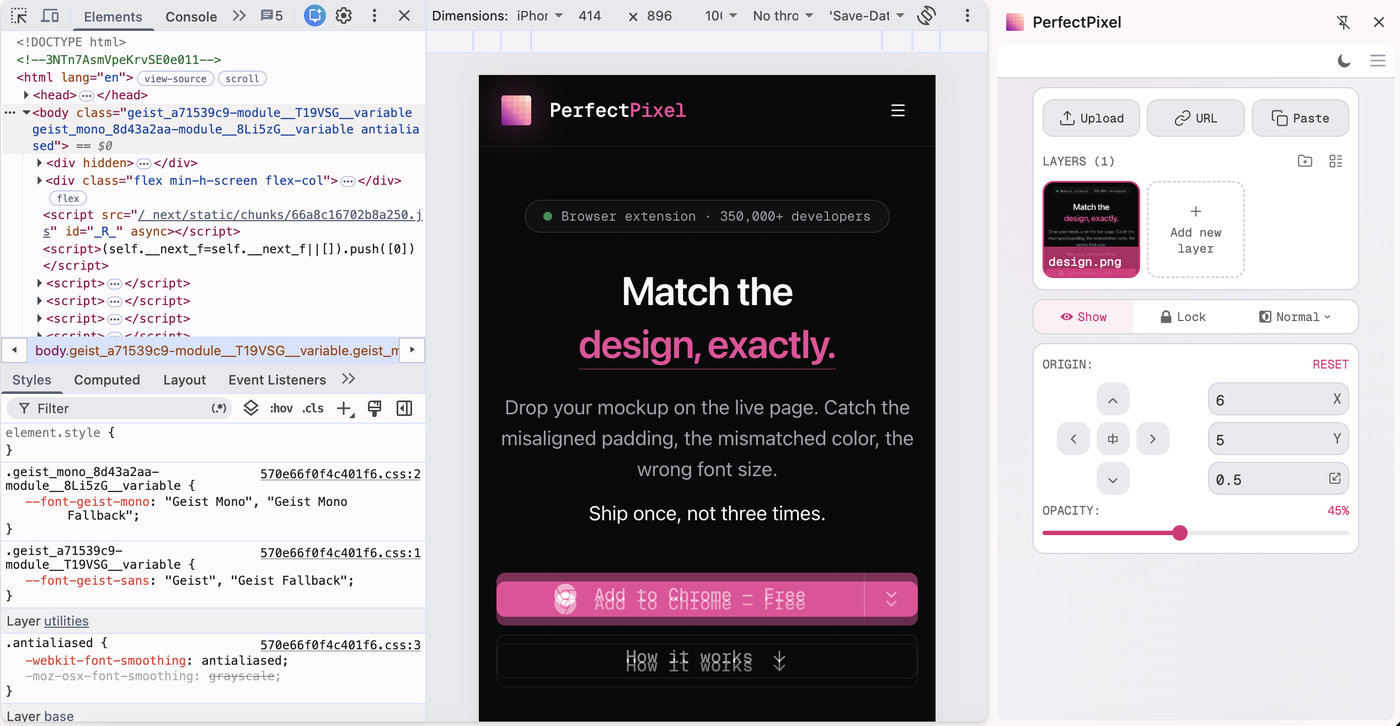
Side Panel Support — Room for Mobile Designs
PerfectPixel 3.2.0.0 is out. Checking a mobile design in DevTools device mode no longer means the panel covering half the viewport: the panel can now live in the browser's side panel, beside the page.
The floating panel stays for everything else. In device mode, dock it and the whole viewport stays visible.
How to open it
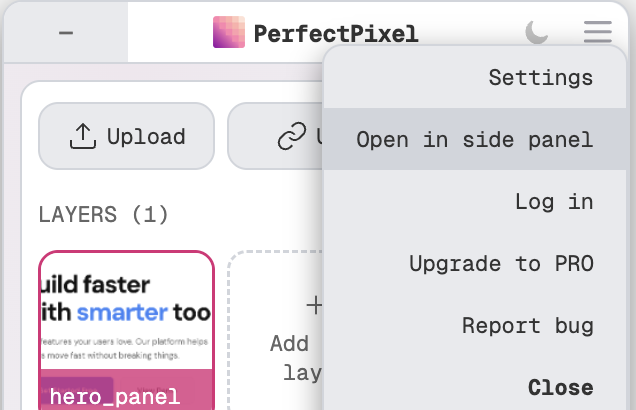
- In the panel header, open the menu (☰) and pick Open in side panel.
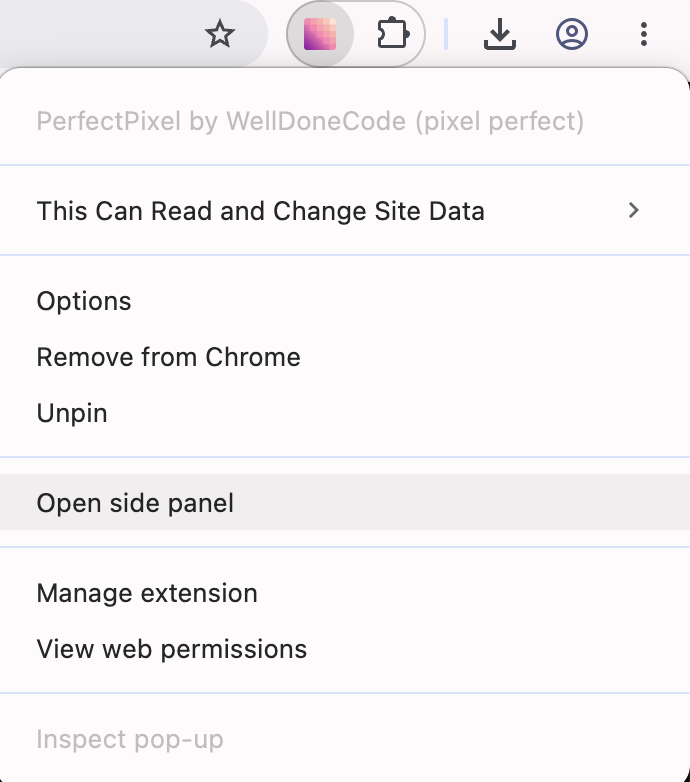
- Or right-click the PerfectPixel icon in the toolbar and pick Open side panel.
- In device mode, the panel offers it by itself with a banner. Close the banner to hide it on this page, or switch it off for good in Settings → Behavior.
What stays on the page
- Overlays and hotkeys keep working on the page. The floating panel goes away while the side panel is open and comes back when you close it.
- Layers are still saved per domain. The side panel shows the layers of whichever tab is active.
Get 3.2.0.0
Install or update from the Chrome Web Store or Edge Add-ons.
— Alexey Belozerov, author of PerfectPixel