.png)
Back to blog
PerfectPixel 3.2.0.3: Wide Designs, Step Buttons, and Panel Fixes
PerfectPixel 3.2.0.3 is out. It bundles the changes from 3.2.0.1, 3.2.0.2, and 3.2.0.3.
Overlay
- An overlay wider than the page no longer adds a horizontal scrollbar to it. If one looks cut off at the right edge, turn on Allow overlays to scroll the page horizontally in Settings → Experimental.
- A layer centered with the
 button now always centers on the page, even when it is wider than the window.
 - Fixed some sites moving or recoloring the overlay and the panel with their own styles.
Panel
- The scale and rotation fields now have − and + buttons, and they work in DevTools device mode too. You can hide them in Settings → Behavior.
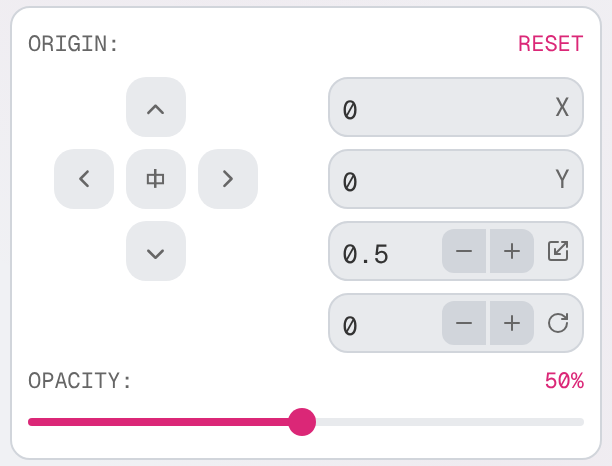
- The panel now moves back into view if it was left off screen, for example in a wider window.
- Fixed the panel not scrolling after a collapse with animations turned off.
- Report bug in the panel menu and the Settings help button now open the support form.
Side panel
- Fixed the panel on the page not coming back in the Vivaldi browser once the side panel had been opened.
Languages
- Fixed the arrow-key directions in the Russian hotkey list.
- Japanese now says 不透明度 for opacity, and the last English strings in the Japanese panel are translated.
Get 3.2.0.3
Install or update from the Chrome Web Store or Edge Add-ons.
Something not working? Send a support request.
— Alexey Belozerov, author of PerfectPixel