.png)
PerfectPixel 3.0 — Blend Modes, Redesigned UI, Pro Customization
PerfectPixel 3.0 is out. Redesigned panel, new blend modes for design comparison, and Pro customization.
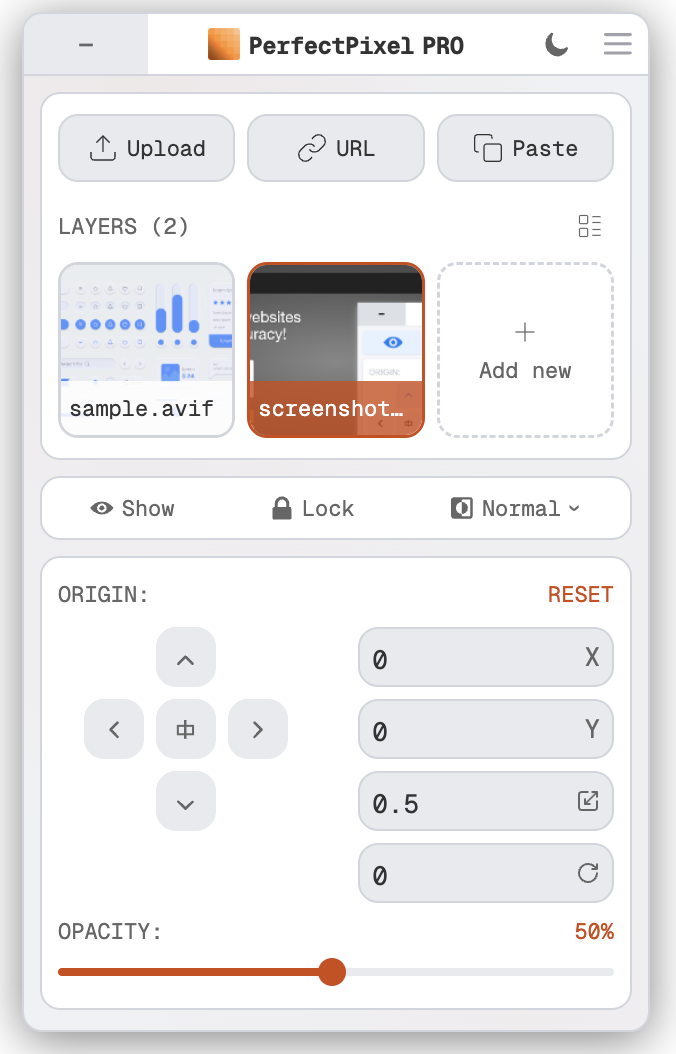
Redesigned Panel
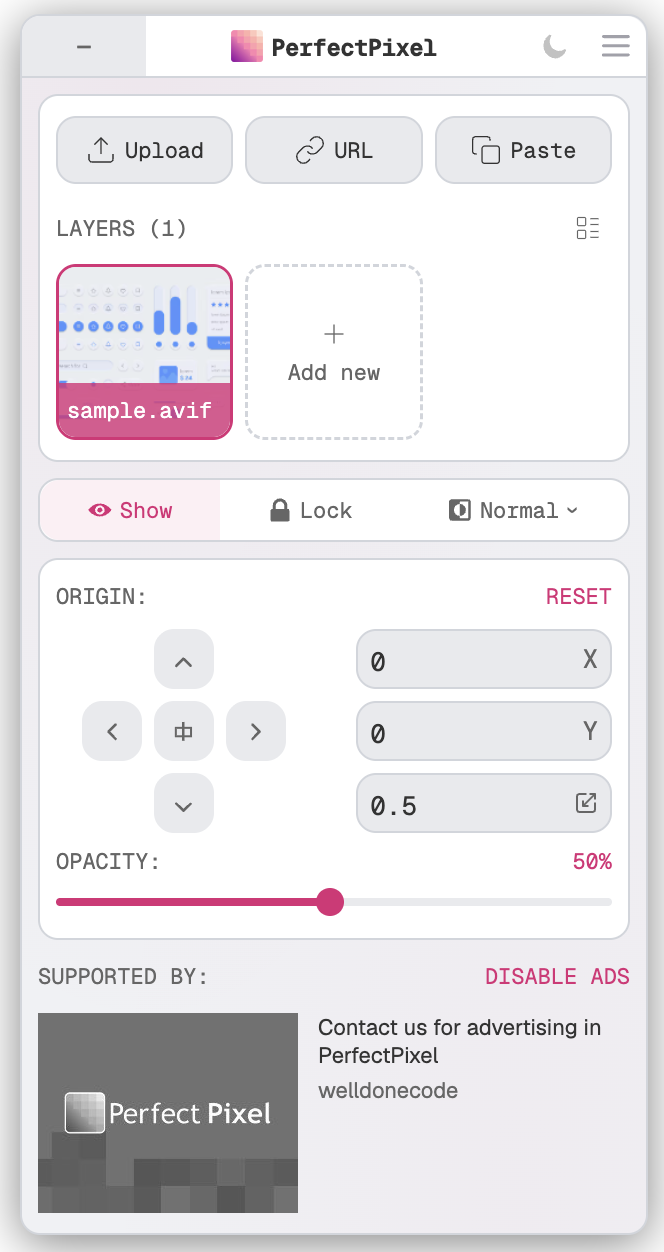
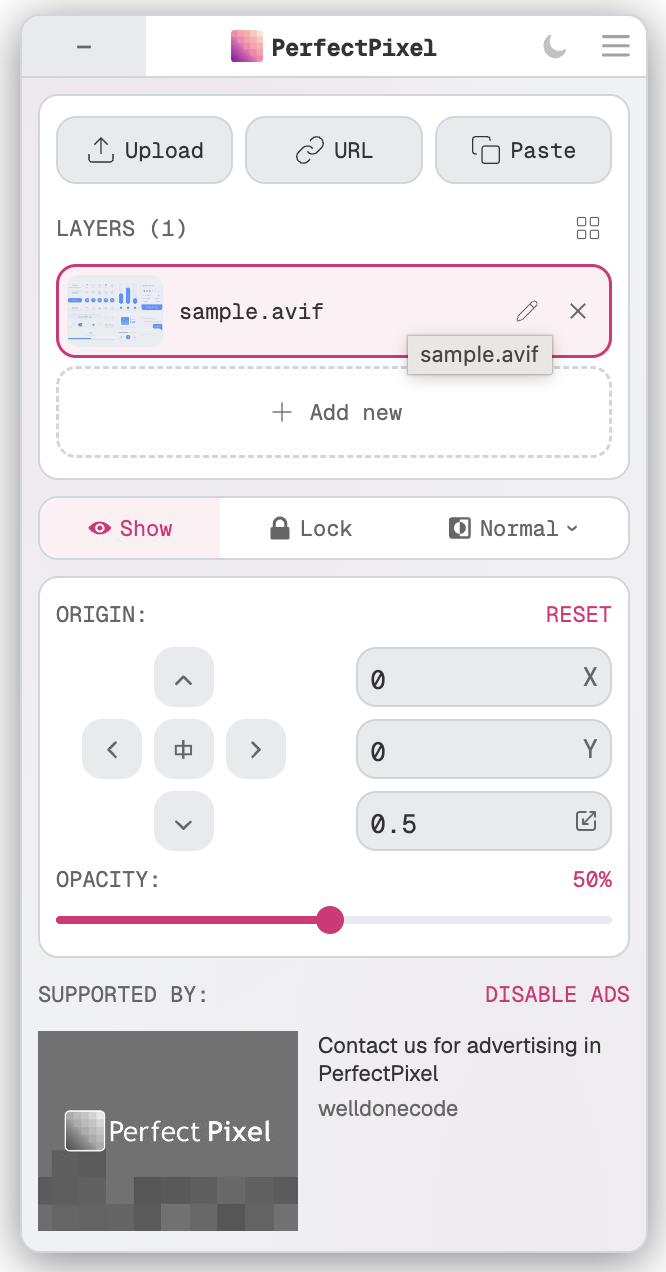
URL paste, clipboard paste, scaling, layer management — all existed before but were hard to find. 3.0 surfaces them.
New in this version: layer renaming and a list view for layers when you need to focus on layer names.
Blend Modes
Five blend modes for comparing your overlay against the live page: Normal, Difference, Invert, Multiply, Overlay.
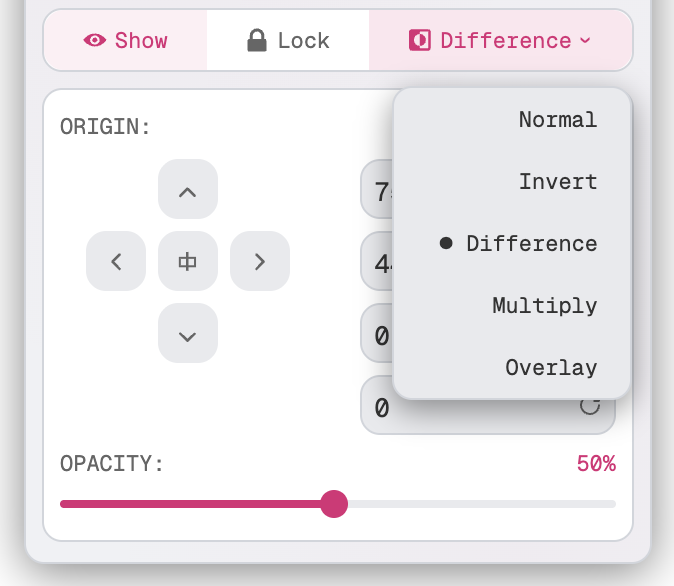
Difference is the one to try first. It subtracts one image from the other — identical pixels go black, differences light up.
Invert works well on dark backgrounds where Normal is hard to read.
Multiply keeps the underlying content visible.
Overlay gives a high-contrast composite.
New in Pro
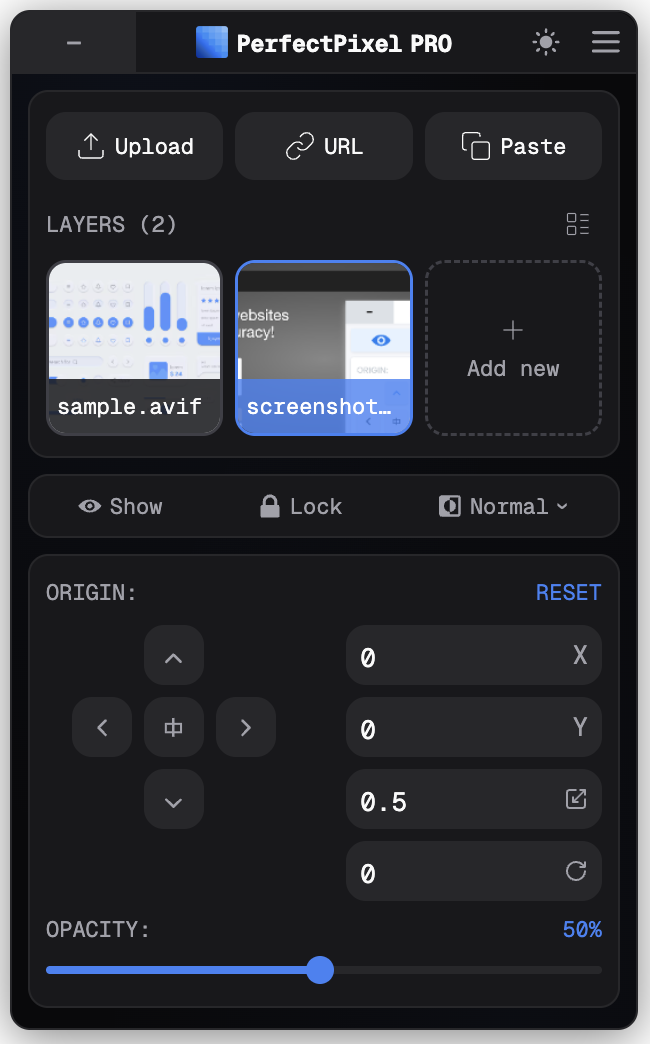
Dark theme and custom accent colors are new Pro additions in 3.0. Six accent colors to pick from — Pink, Blue, Green, Orange, Purple, Gold:
Teams & Enterprise
A team plan with centralized billing is coming — Pro seats for your whole team in one place, no individual subscriptions. Sign up for early access on the pricing page.
Enterprise is fully offline, air-gapped, no external calls — built for orgs with strict network policies. Contact us for details.
Get 3.0
350,000+ developers, 10+ years on the Chrome Web Store. Install or update, or see pricing for plan details.